
BriefME
A downloadable tool for Windows
BriefME — AI Project Context Manager for ChatGPT, Claude & Coding Assistants
BriefME is a lightweight desktop tool for creating LLM-ready project briefs that help AI coding assistants like Claude, ChatGPT, Gemini, and Copilot instantly understand your project context.
Instead of re-explaining your project every time you start a new AI conversation, BriefME lets you generate a structured AI project summary (markdown format) that you can paste directly into any LLM chat.
This reduces token waste, improves response quality, and turns AI assistants into more effective long-term coding collaborators.
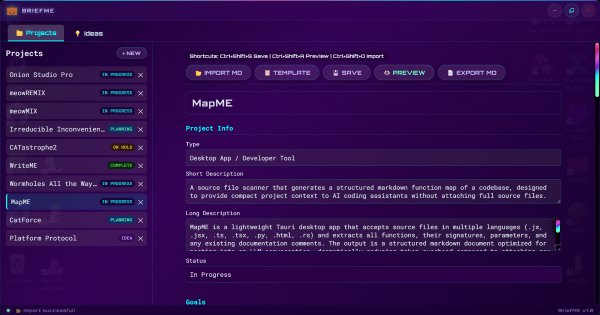
🚀 What BriefME Does
Every AI chat starts with the same problem:
“What is your project about again?”
BriefME solves this by generating a portable project memory file for AI assistants.
You fill out a structured editor → BriefME exports a clean markdown “project brief” → you paste it into any AI tool.
Now your AI understands:
- What your project is
- What stack you're using
- What’s already been built
- What you’re working on now
- What comes next
No re-explaining. No lost context. No wasted tokens.
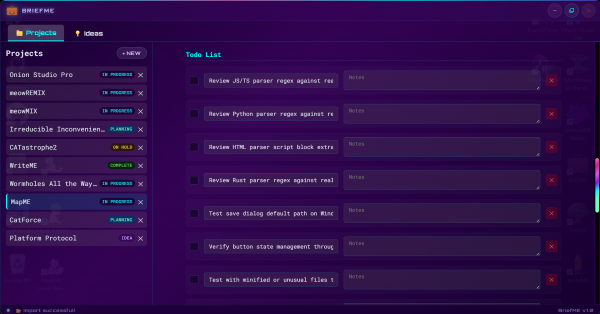
🔍 Why Developers Use BriefME
BriefME is built for:
- Developers using AI coding assistants (Claude, ChatGPT, Copilot, Gemini)
- Indie devs juggling multiple projects
- Builders who constantly restart AI conversations
- Anyone frustrated with re-explaining context to LLMs
- Developers who want a local-first AI workflow tool
If you use AI as a coding partner, BriefME acts like a project memory layer for LLMs.
✨ Key Features
- 🧠 LLM-ready project briefs (optimized for AI comprehension)
- ✍️ Structured editor for project context (status, goals, progress, todos, notes)
- 📄 Live markdown export for copy/paste into ChatGPT, Claude, etc.
- 📥 Markdown import (edit AI-generated or existing briefs)
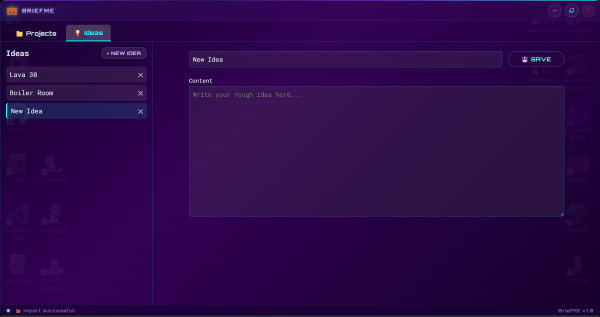
- 💡 Ideas tab for capturing early-stage concepts
- 📦 Template generator for starting new AI-assisted projects
- 🔒 Fully offline & local-first (no accounts, no cloud sync)
- 🖤 Cyberpunk-inspired UI for a more enjoyable dev workflow
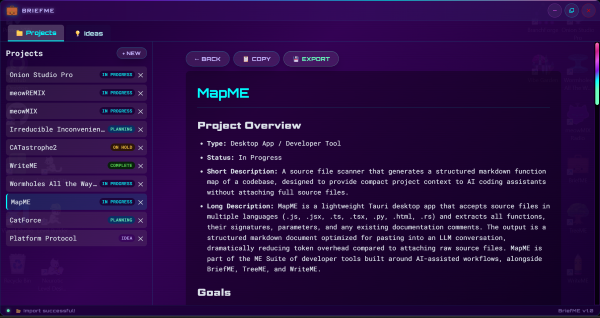
🧾 What is an “LLM-Ready Project Brief”?
An LLM-ready project brief is a structured markdown document designed for AI consumption.
It includes:
- Project name, type, and status
- Current goals and progress
- Completed work
- Active development focus
- Next steps and TODOs
- Constraints and technical notes
- Architecture decisions
Most briefs are ~300–600 words — optimized to give AI assistants full context without overwhelming token limits.
This makes it ideal for:
- ChatGPT project setup prompts
- Claude coding sessions
- Copilot-assisted workflows
- AI debugging and refactoring sessions
⚙️ How to Use BriefME
- Open BriefME and create or update your project brief
- Fill in your project context using the structured editor
- Click Preview to generate a markdown LLM-ready project brief
- Click Copy
- Paste it at the start of any AI chat (ChatGPT, Claude, Copilot, Gemini, etc.)
Once pasted, your AI assistant immediately has full project context and can start helping without re-explanation.
📦 Template Feature (Start New Projects Faster)
BriefME includes a built-in Template Generator button.
When clicked, it downloads a pre-built markdown prompt you can use to quickly generate a full project brief with any LLM.
You simply:
- Fill in basic project details (name, status, focus, goals, etc.)
- Paste the template into your favorite AI chat (ChatGPT, Claude, etc.)
- Ask the AI to generate a complete structured BriefME project summary
- Import the result directly back into BriefME
This makes it extremely fast to bootstrap new projects from scratch using AI assistance.
Template Prompt Example (downloaded from BriefME):
<!--
Hi [LLM Name] — please help me draft a BriefME project summary in Markdown using the headers below.
Here's some context to get you started:
- Project name: [Your project name]
- Current status: [Idea / Planning / In Progress / On Hold / Complete]
- Current focus: [What you're actively working on right now]
- Future plans / next steps: [What comes after the current focus]
- Optional notes: [Any important architectural, design, or technical notes]
- Rough project summary: [Write a few sentences describing what the project is and what it does]
Please fill in each section below using the context above.
FORMATTING RULES — follow these exactly or the file will not import correctly:
- Use ONLY a hyphen-dash ( - ) for all list items. Never use asterisks or bullet points.
- Todo items must use exactly this format: - [ ] Task name for incomplete, - [x] Task name for complete.
- Completed todo items must use lowercase x only: - [x] Task name
- Do not add blank lines between sections and list items.
- Do not add extra headers, subsections, or commentary outside the structure.
- Leave the Folder Structure section empty — it will be generated separately.
-->
# [Project Name]
## Project Overview
- **Type:** [e.g. Desktop App / Web App / Game / CLI Tool / Library]
- **Status:** [Idea / Planning / In Progress / On Hold / Complete]
- **Short Description:** [One sentence describing what the project is]
- **Long Description:** [2-4 sentences — what it does, who it's for, what makes it interesting]
## Goals
**Primary Goal:** [The single most important outcome for this project]
**Secondary Goals:**
- [Secondary goal 1]
- [Secondary goal 2]
**Success Criteria:**
- [How will you know this project is successful?]
- [Another measurable success indicator]
## Completed Work
- [Thing already done]
## Current Focus
- [What you are actively working on right now]
## Next Steps
- [Next steps]
## Todo Items
- [ ] [Task]
- [ ] [Task]
## Nice To Have Ideas
- [Feature or idea that would be cool but isn't required]
## Folder Structure
*(Leave blank — generate this section using TreeME)*
## Notes
[Free-form notes, constraints, architecture decisions]
🌲 Folder Structure Support (TreeME Integration)
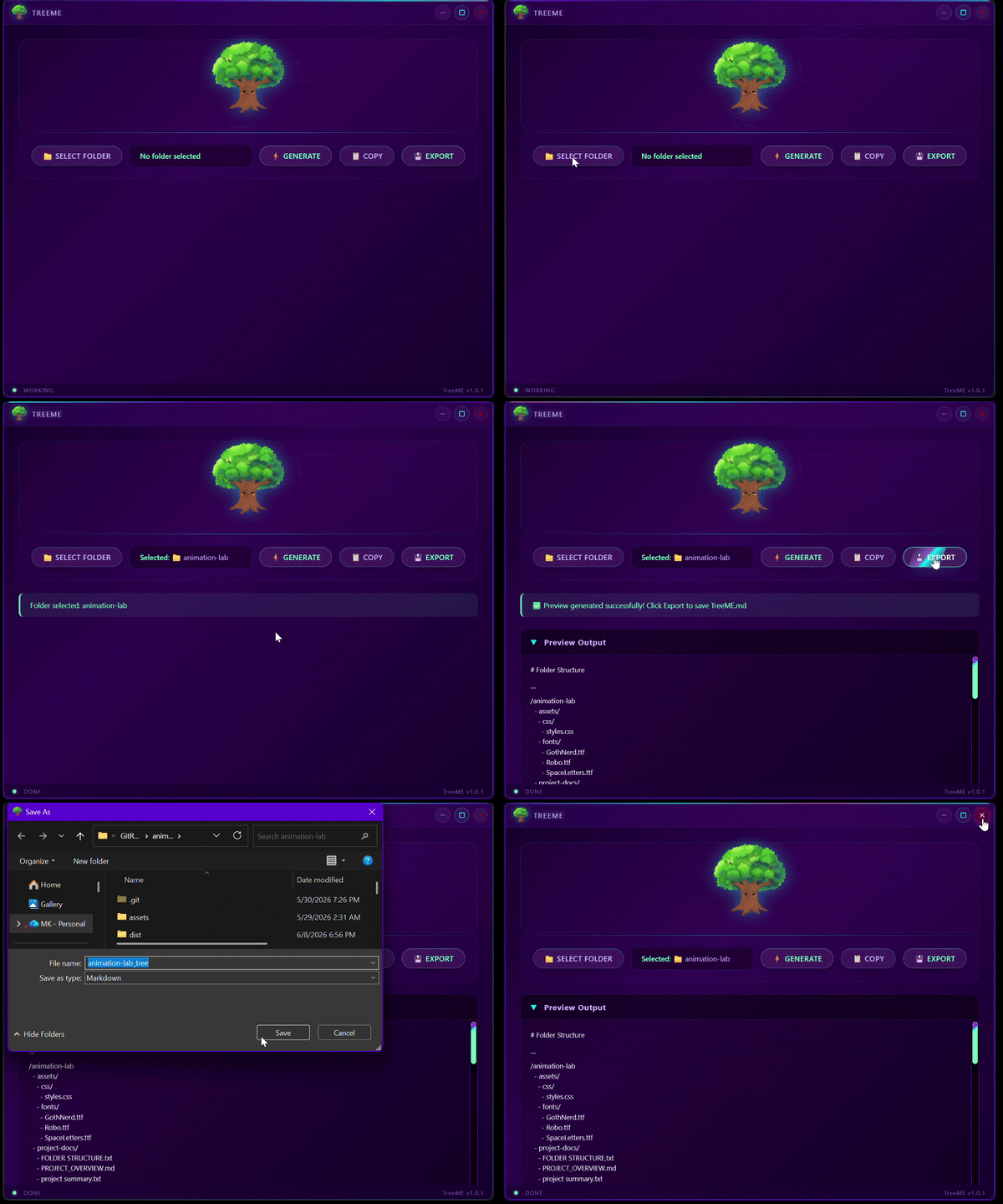
BriefME works seamlessly with TreeME, a companion tool that generates structured folder trees for AI context.
Use TreeME when you want to:
- Generate a clean project directory structure
- Share codebase layout with AI assistants
- Provide file architecture context without uploading files
👉 TreeME can be used alongside BriefME to give AI assistants both project intent + project structure, which significantly improves code-related responses.
📦 Part of Context Kit
BriefME is part of a set of developer tools designed for AI-assisted workflows:
- BriefME — AI project context manager (this tool)
- TreeME— generates folder structure trees for AI context
- WriteME— markdown editor for dev + documentation
- MapME — codebase function mapping tool (coming soon)
All tools are:
- lightweight
- offline-first
- AI workflow optimized
- designed for reducing token overhead in LLM coding
❓ FAQ
Is there a tool for giving ChatGPT or Claude project context?
Yes — BriefME generates structured AI-ready project briefs for exactly that purpose.
How do I stop repeating my project to AI assistants?
Use BriefME to maintain a living project brief and paste it into new chats.
Does this improve AI coding results?
Yes — better context → better outputs. LLMs perform significantly better with structured project summaries.
Is my data stored in the cloud?
No. Everything is stored locally on your machine.
What format does it export?
Standard markdown (.md) compatible with any AI tool or editor.
Is BriefME free?
Yes. Available on itch.io with optional donations.
🛠 Technical Info
- Built with Tauri + vanilla JavaScript
- Fully local desktop app
- No backend or cloud services
- Cross-platform builds (see itch page for availability)
Download
Click download now to get access to the following files:
Leave a comment
Log in with itch.io to leave a comment.